K1 - case study

A system for managing software located on university computers based on defined rules and schedules, taking into account software licenses.

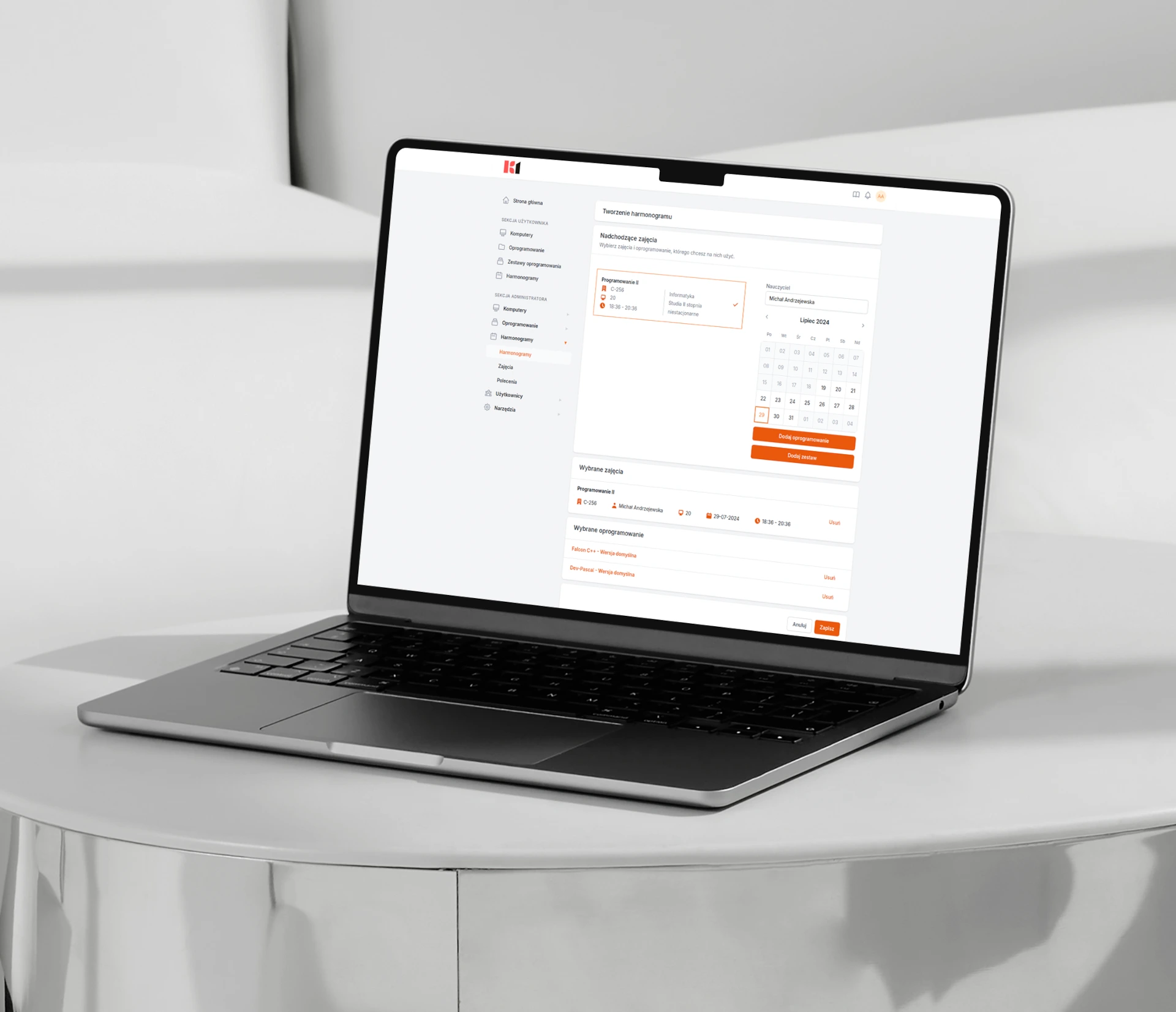
Screenshot from K1 application - creating schedule.

Challenges

Software management at a university is a complex task, requiring precision, security and scalability. We have faced challenges that arise from the specific nature of the academic environment - from access control, to diverse user needs, to full automation of installation processes.
Data security
University networks operate with sensitive data from students and staff. It was essential to design a system that effectively restricts access to resources to authorized individuals only, using modern authentication mechanisms and encrypted communication.
Role- and permission-based access
IT teams, faculty and administrators have different needs and responsibilities. Creating a flexible model of roles and permissions made it possible to define precisely who can install, modify, or supervise specific applications and activities on the system.
Client machine supervision and monitoring
The challenge was to build a mechanism to monitor, manage and authorize only selected university computers. This ensures full control over the IT environment and eliminates risks from unverified devices.
Automatic installation of delivered applications
The system enables silent, unattended software installation across multiple workstations, without disrupting users or requiring constant IT involvement. Automating this process significantly increased the efficiency and scalability of operations.
User interface
Special focus was placed on designing an interface that would be clear to IT professionals and less experienced users. Complex operations are hidden behind a clear, logical layout, making the system easier to use and reducing user errors.

Key features

K1 is a tool designed for the real needs of universities - flexible, scalable and ready to operate in a complex academic environment. Its functionalities address the specific concerns of IT departments, providing full software control, license compliance and management simplicity for daily administrative and technical work.

Software management across university computers

License monitoring with the ability to block installations beyond the allowed limit

Role-based access control for managing users and permissions

External data synchronization to import room lists, computers and schedules

Schedule creation with an assigned list of available software

Benefits for your university
Implementing the system brings more than just organization and automation – it delivers real-time savings, full compliance and an improved user experience.
80%
Reduction in software installation time
70%
Fewer license violations
90%
Fewer manual operations
100%
Increase in security level
100%
Full control over software and licensing
Screenshot showing K1 application on laptop - scheduling module.
Architecture schema of the K1 system.

Security by design

The platform ensures the highest security standards. User data is stored in full compliance with GDPR, and access to the system is restricted to authorized users only.

Does your university need a digital transformation?

Looking for a trusted partner to digitalize the Erasmus programme at your institution? Fill out the form and we will get in touch with you.

We use cookies on our website to ensure the best possible quality of services and to adapt the website to your needs. By clicking „Accept all”, you agree to our use of cookies. To learn more, check out our privacy policy.